Dev log · · v0.29.0
Activities from the start menu
Version 0.29.0 puts Activities in the start menu, so a race or the tutorial is one click from launch. Free sailing now resumes your last place, and the activities list scrolls.
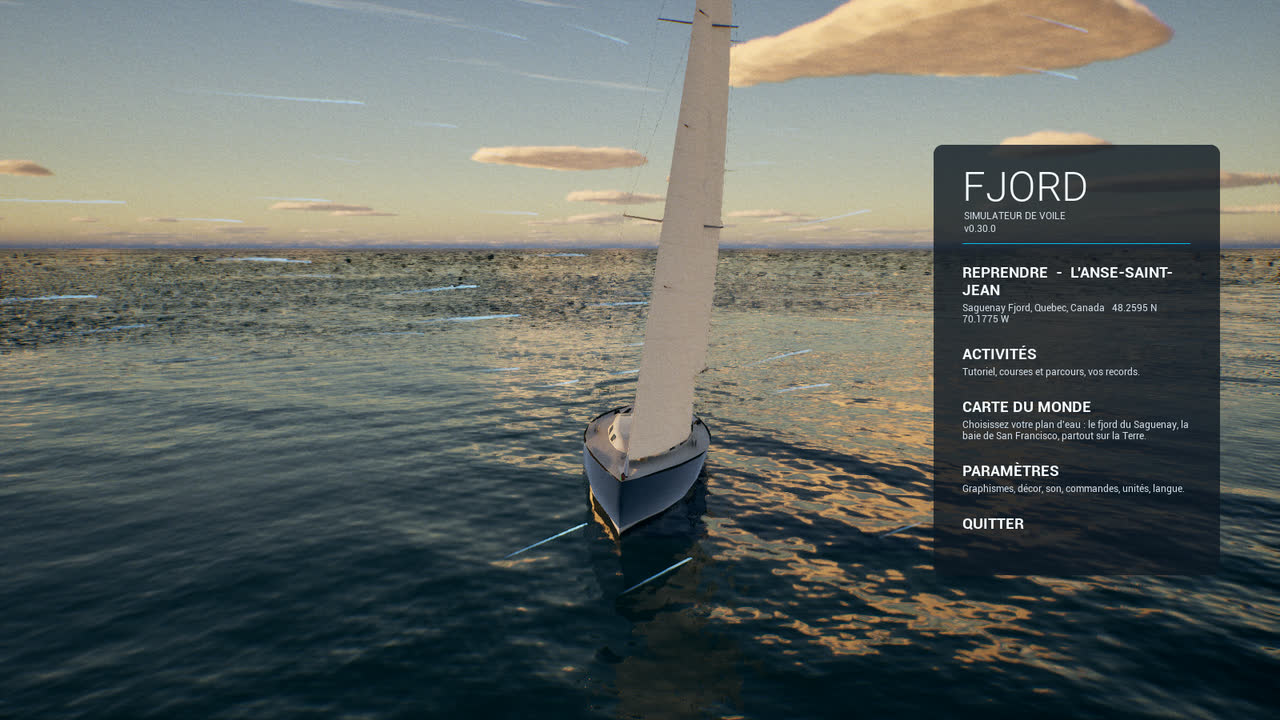
When Fjord starts, you see the boat alone on a calm sea and a menu on the right. Until now that menu offered Resume, the world map and settings; to start a race you had to resume first, then open the activities. Version 0.29.0 fixes that.
What changed
- Activities sits under Resume in the start menu, in English and French. It opens the list of activities over the start screen; closing it takes you back to the start menu.
- Free sailing picked from the start screen now resumes the last place you sailed, or L’Anse-Saint-Jean if there is none, instead of dropping you back on the start screen.
- The list scrolls. On a screen 900 pixels high, Free sailing sat below the bottom edge and could not be clicked. Now it can.
- Long titles wrap. “REPRENDRE - L’ANSE-SAINT-JEAN” was cut off in French; it now takes two lines.
How we tested it
A scripted check, -startacttest, walks the whole path with real clicks on the interface rather than keyboard shortcuts, so a menu that only works from the keyboard would fail it.